

Alert channels let you get alert notifications when a check or monitor fails. Learn more about alerting in our docs.Documentation Index
Fetch the complete documentation index at: https://checklyhq.com/docs/llms.txt
Use this file to discover all available pages before exploring further.
Common properties
All alert channels share a set of common properties to define when / how they should alert derived from the abstract classAlertChannel.
Configure common alert channel properties:
| Property | Type | Required | Default | Description |
|---|---|---|---|---|
sendRecovery | boolean | ❌ | true | Send notifications when checks recover |
sendFailure | boolean | ❌ | true | Send notifications when checks fail |
sendDegraded | boolean | ❌ | false | Send notifications when checks degrade |
sslExpiry | boolean | ❌ | false | Send notifications for SSL certificate expiry |
sslExpiryThreshold | number | ❌ | 30 | Days before SSL expiry to send notification |
alertChannels array:
api-health.check.ts
CheckGroupV2 constructs, you’ll also need to set the alertEscalationPolicy to enable the group alerting override.
Using fromId() to reference an existing channel
If you have an existing alert channel that was created outside of your CLI project, you can reference it using the fromId() method on any AlertChannel class:
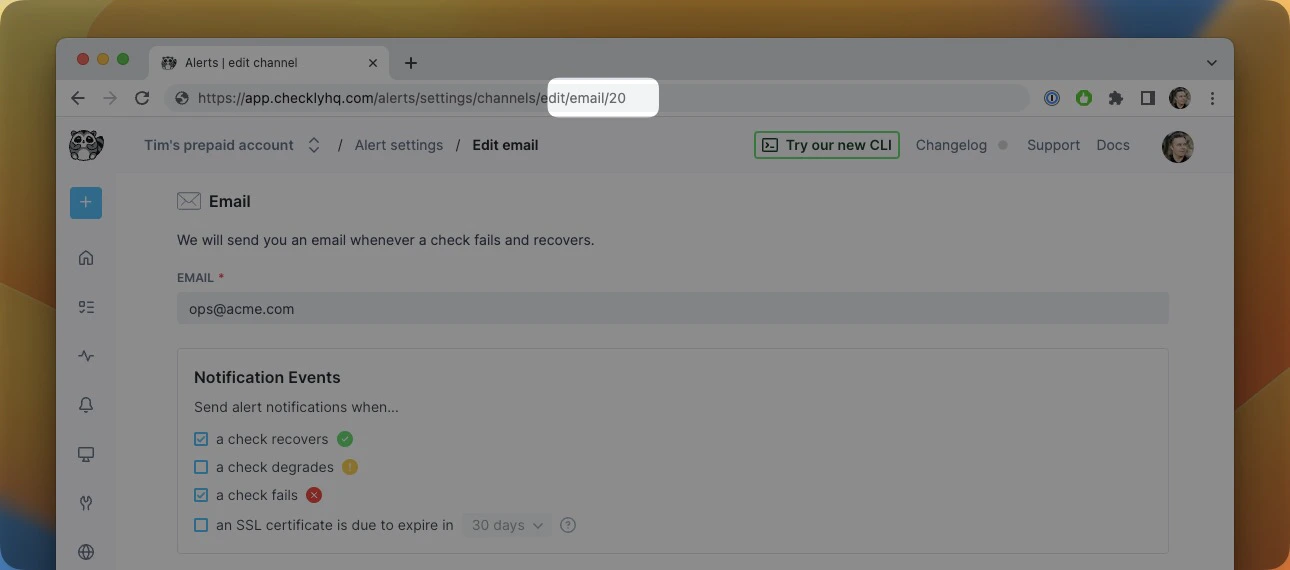
If your
fromId() references an invalid alert channel, the CLI will throw an error when you try to deploy your project.fromId(), we recommend defining your alert channel within that CLI project and referencing its JS/TS object. This allows your alert channel to be managed as code alongside your other CLI resources, which makes it easier to manage and scale your alerting setup.