

Let your agent do it
Let your agent do it
To run this guide from your terminal or your coding agent, run The steps below are what the agent does, in the open.
npx checkly init in your project first. It installs the Checkly CLI and Checkly Skills for your agent. Then paste the prompt below into Claude Code, Cursor, Codex, or any agent that supports skills. It builds the same setup as this guide, proves it with npx checkly test --record, and stops for your confirmation before npx checkly deploy.Prompt
Step 1: Decide what every monitor shares
A shop has a handful of pages a customer can land on, and they all deserve the same treatment: the same locations, the same alert rule, the same idea of what “slow” means. Put those decisions in one place before you write a single monitor, so adding the tenth page costs the same as adding the first.__checks__/group.ts
checkly.config.ts
Step 2: Turn the list of pages into monitors
Now write down the pages. Not the monitors, the pages. The home page, a product page, the cart, the checkout, and the API the storefront calls. A loop turns each line into a URL monitor that inherits everything from Step 1.__checks__/pages.check.ts
id matters more than it looks: Checkly matches a monitor to its history by logical ID, so shop-cart keeps its uptime record no matter where it sits in the array. Generate IDs from array positions and a reorder silently creates five new monitors and deletes five old ones.
A URL monitor answers one question: did this URL return the status code you expect, fast enough? It does not read the response body. The Danube shop is a single-page app that answers 200 for any path, so a monitor for
/api/books proves the API is reachable, not that it returns books. When you need to check the body, a header, or an authenticated request, that page gets an API check instead.Step 3: Tell slow from down
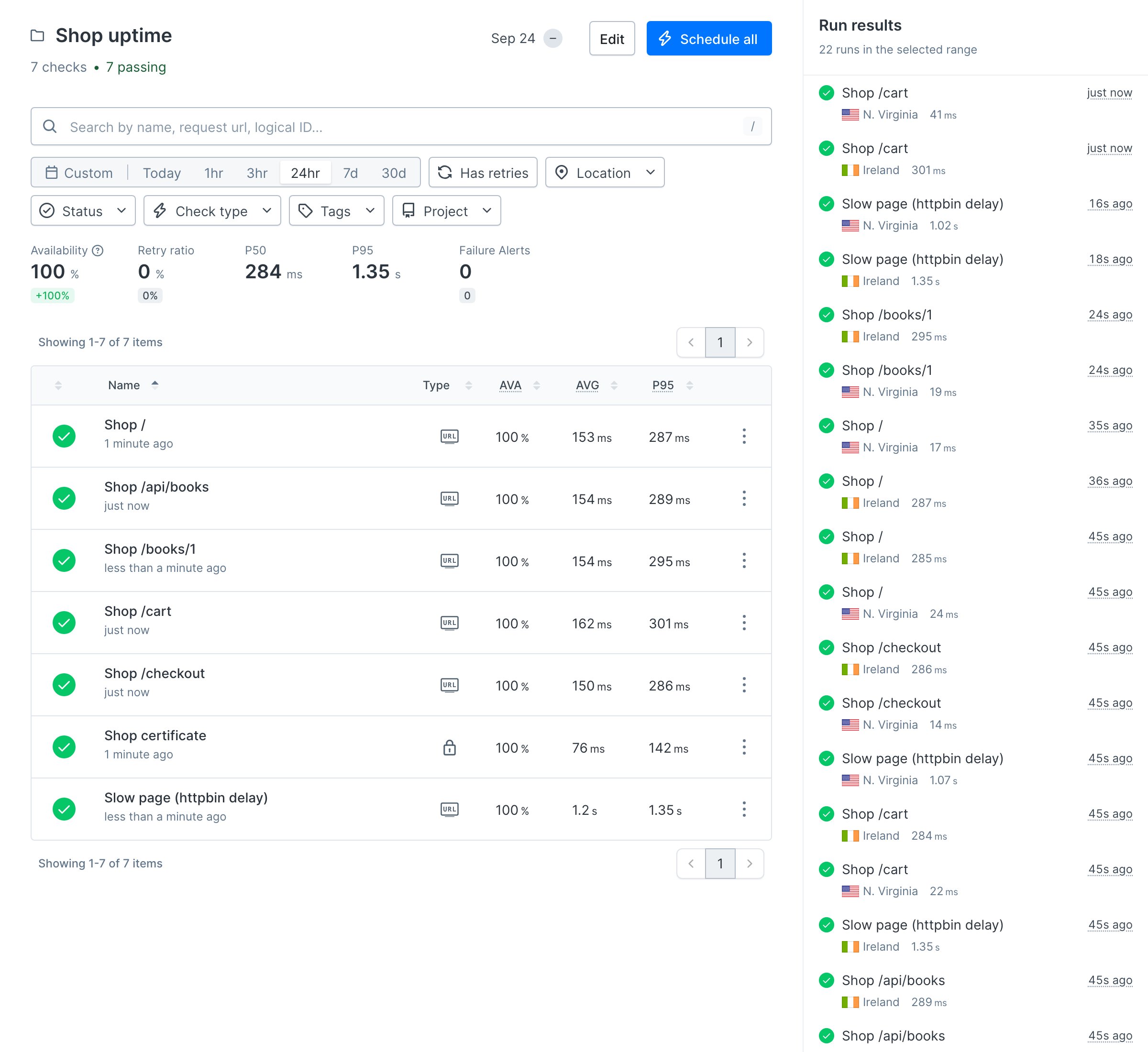
Every monitor above spreadsresponseTimes, so every one already knows the difference between slow and down. To see where the lines sit, add a page that is always slow. httpbin.org waits one second before answering, and the network adds a little on top.
__checks__/slow.check.ts
Step 4: Watch the certificate underneath
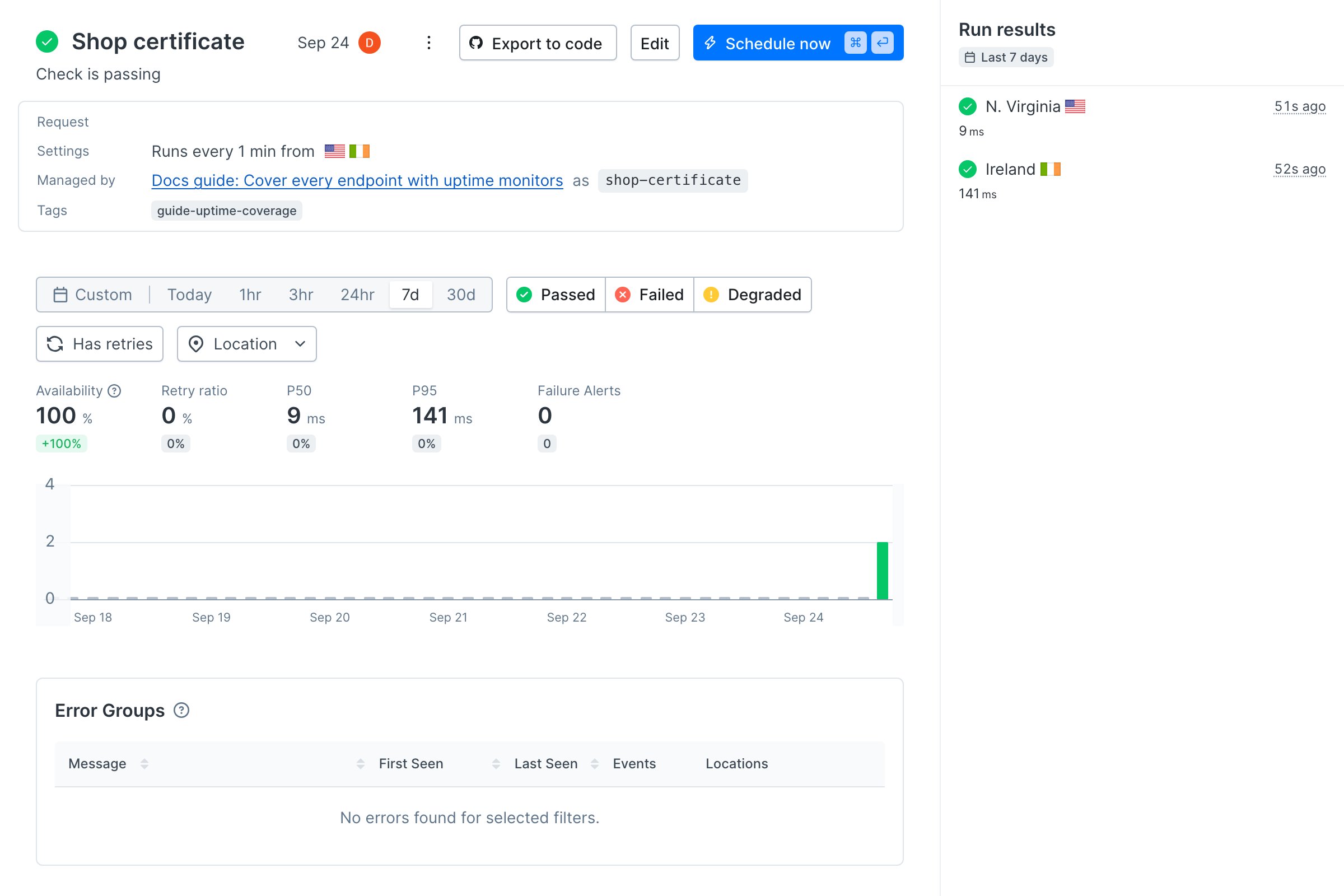
Every monitor so far speaks HTTPS, and every HTTPS request starts with the same TLS handshake against the same certificate. A URL monitor fails the moment that certificate expires. That is one layer too late: you want to hear about it while there is still time to renew.__checks__/certificate.check.ts
Terminal
Terminal
Terminal
Verify it works
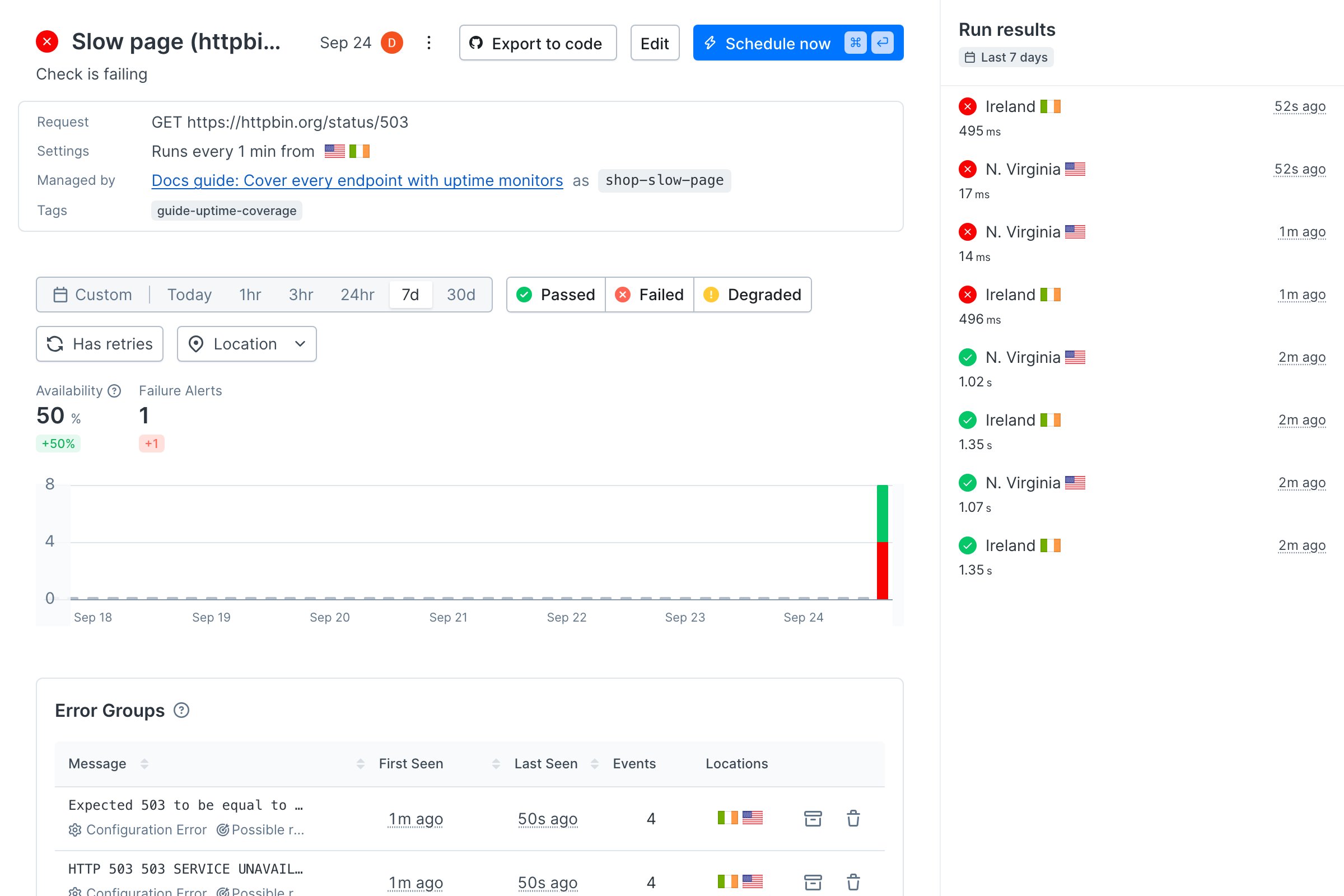
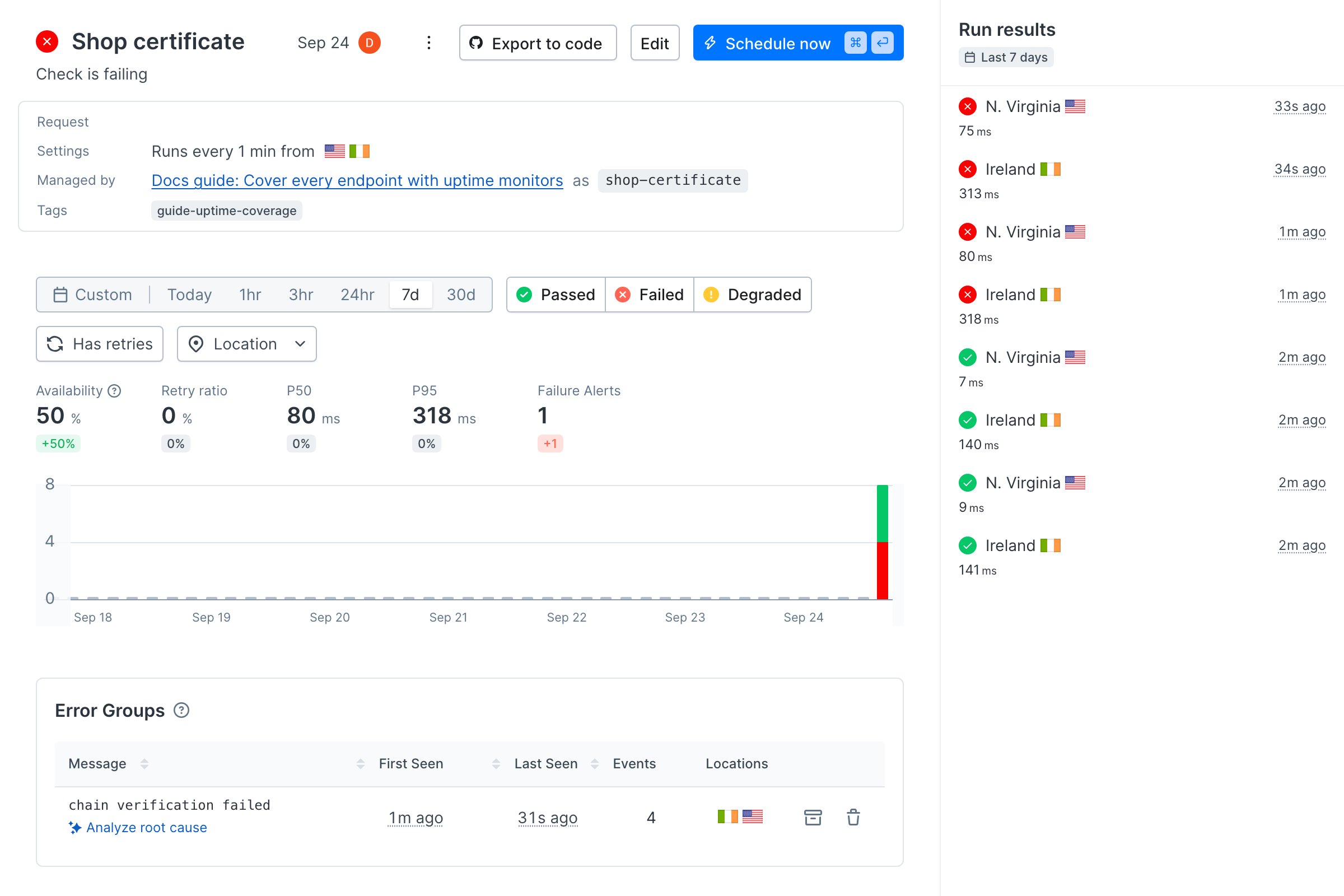
Break both layers on purpose. In__checks__/slow.check.ts, change the URL to https://httpbin.org/status/503, a page that always answers with a server error. In __checks__/certificate.check.ts, change the hostname to expired.badssl.com, a host that serves an expired certificate on purpose. Deploy.
Within a minute, the slow page monitor fails from both locations. Its error groups show both what happened and which assertion it broke: a 503 that was expected to equal 200.
Next
Monitor the content your customers need to see: a URL monitor proves a page answered, not what it shows. Assert that the text that sells is on the page, in the right place.Reference
- URL monitors and SSL monitors
- API checks, for when a status code is not enough
UrlMonitor,SslMonitor, andCheckGroupV2- Checkly Skills